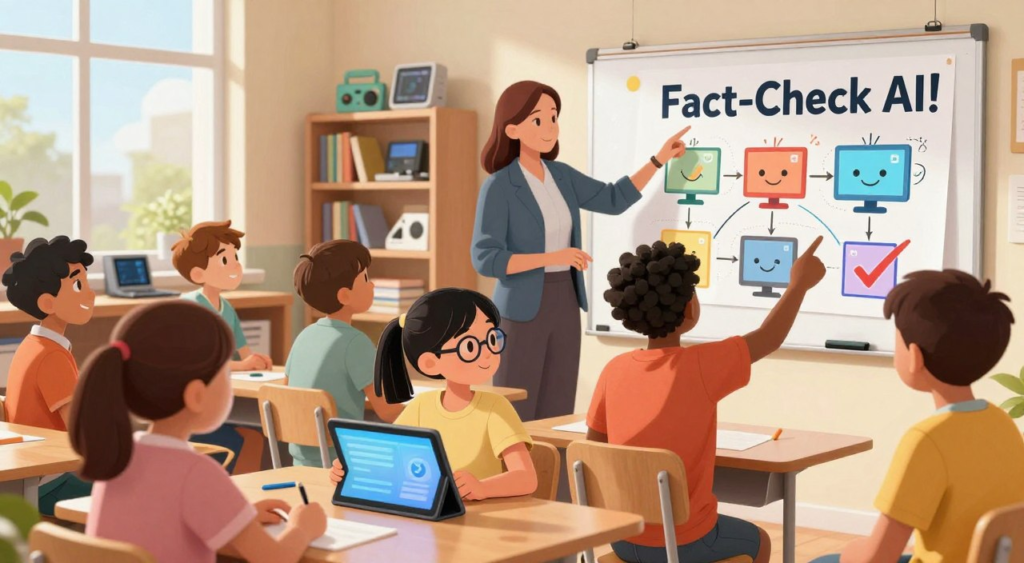
Many families and classrooms already have AI in the background. It shapes what kids watch, click, and believe. It shows up in social feeds, video recommendations, and search summaries, often without adults noticing.
This guide is for U.S. parents and educators. It aims to keep digital literacy up to date with AI. The goal is not to ban new tools but to teach kids to be curious and ask for proof.
AI can help with learning like calculators and spellcheck. But it can also make students skip thinking. To teach kids to fact check AI, they need simple habits. They should look for sources, check dates, and compare claims across multiple credible places.
The article then explains how to verify information online in an AI world. It covers AI Overviews, polished posts, and realistic images. It also outlines privacy-aware routines for homework, group projects, and everyday scrolling.
Why AI Fact-Checking Matters for Kids’ Digital Literacy

Kids today learn, shop, and socialize online all the time. This means they need to know how to spot fake news. Schools and families are teaching them to be smart about what they see online.
Teaching kids to check sources helps them in many areas. It’s not just about spotting fake news. It’s about learning to question everything they see.
AI is already shaping what kids see on TikTok, Instagram, and search results
TikTok and Instagram use AI to show kids more of what they like. This can lead to seeing the same false claims over and over. It’s important for kids to understand how these platforms work.
Google’s AI Overviews are changing how kids search online. These summaries can make it seem like the answer is complete, even if it’s not. It’s key for kids to learn to verify sources in this new world.
Realistic AI images can make false headlines feel more believable
Images grab attention faster than text, and AI images are no exception. A study found that people trust false headlines more when they have realistic AI images. For many kids, the image is what they believe.
Teaching kids to question images is practical. They can ask if the photo is real, edited, or AI-generated. They should also check if it matches the event described in the caption.
Professional-looking websites and sponsored content can mislead students
Many students trust websites and content that look professional. A study showed that high school students often believe what looks good, even if it’s not true. Clean design and confident writing can hide weak evidence.
Teaching kids to separate appearance from truth is key. They should check who published it, why, and if other reliable sources agree. This helps them become critical thinkers.
| Where kids see it | What can go wrong | Simple credibility check | Why it supports digital literacy for students |
|---|---|---|---|
| TikTok and Instagram feeds | Algorithm repeats a claim until it feels true | Pause and restate the claim in one sentence, then look for an independent report | Builds attention control and reduces impulse sharing |
| AI-generated images in posts | Realistic visuals increase trust in a false headline | Check whether the image details match the caption’s time and place | Supports teaching students about fake news with visual cues |
| Professional-looking websites | Design and branding mask weak or missing evidence | Identify the publisher and scan for clear author, date, and sourcing | Encourages verifying sources with children using basic publishing signals |
| Sponsored posts and native ads | Paid content blends into “regular” information | Look for sponsorship labels and ask what the seller wants the reader to do | Helps students spot intent and possible bias |
| Google AI Overviews | Synthesized answers appear before any link is opened | Open the sources behind the summary and compare key facts | Reinforces digital literacy for students in modern search |
What “Fact Checking AI” Really Means in Everyday Life

In school, fact checking is not just about catching mistakes. It’s about teaching kids to be critical thinkers. When they learn to fact check AI, they become like digital detectives. They check facts during homework, group projects, and when they scroll online.
They pause to ask important questions. They wonder what kind of content it is and what it wants them to believe. This simple step helps kids think critically without making research a chore.
Understanding the difference between AI-generated, altered, and misleading content
Kids learn to sort content into different types. This helps them know what to fact check.
- AI-generated content is made from scratch, like chatbot answers or AI images.
- Altered content starts real but gets edited, like cropped photos or changed captions.
- Misleading content uses real facts but twists them, changing the meaning.
This sorting helps kids avoid arguments. It makes claims clear and checkable.
Why confident-sounding answers can be wrong
AI summaries can sound very sure, even if they’re missing important details. A student might think a neat paragraph is thoroughly reviewed.
A red flag is detailed specifics without evidence. If an answer has exact dates or statistics but no support, it needs a closer look.
| What the student sees | Why it can be risky | What to check next |
|---|---|---|
| A precise number or percent in a summary | Numbers can be invented or pulled from the wrong context | Find the original report and confirm the statistic and year |
| A confident claim with no author listed | No author makes accountability unclear | Look for the publisher, editorial team, and an “About” page |
| A quote attributed to a public figure | Quotes get paraphrased, shortened, or misattributed | Check a full transcript or reputable news coverage |
| A “study says” line with a formal-sounding title | Titles can be fabricated to seem official | Verify the journal, the date, and whether it can be located elsewhere |
How to verify information online without relying on a single source
Cross-checking is key to verifying information online. Instead of trusting one AI summary or trending post, students compare claims across multiple credible sources.
- Pull out the exact claim and rewrite it in plain words.
- Check who published it and whether the date fits the event.
- Confirm the same key fact in at least two independent sources.
- Note what is missing, like location, method, or the full quote.
This process strengthens critical thinking skills. It rewards proof over confidence. It also helps when teaching kids to fact check AI, as the goal is the same across different sources.
build AI literacy habits

To help children verify AI answers, they need a simple, repeatable process. This process should work for homework and fast-moving feeds. The goal is to teach them to slow down, look for proof, and explain their findings.
Start with a simple rule: evidence over guesses
Science teacher Katie Coppens and researcher Andy Zucker have a basic rule. Students can’t just guess. They must back up their claims with evidence that others can check.
This mindset helps kids see AI answers as drafts, not final verdicts. It makes verifying sources a normal part of learning, not a punishment.
Teach kids to defend conclusions using links, dates, authors, and corroboration
For kids, “evidence” should be concrete. They can check links, find an author or publisher, confirm the date, and compare facts across sources.
When they can point to who said it, when it was published, and where it shows up again, they’re learning to fact check in the real world. Fact-checking tools for kids, like reverse image search and library databases, can also help.
- Links: Do the cited pages match the claim, or do they say something else?
- Dates: Is the information current enough for the topic?
- Authors and publishers: Is there a real organization, editor, or expert behind it?
- Corroboration: Does at least one other trustworthy source confirm the key point?
Build a routine for verifying sources with children during homework and scrolling
Families can make fact-checking a family habit in small ways. One option is “Catch the AI”: they ask a chatbot questions about something the family already knows, then check each detail together.
A learning-first boundary also keeps AI from doing the thinking. A “Think First, Then AI” routine asks the child to work solo for about 10 minutes, write down ideas, and only then use AI to compare or extend the work.
That same rhythm supports verifying sources with children during scrolling, too. They pause, pick one claim, and use fact-checking tools for kids to trace it back before they like, share, or repeat it.
| Moment | What the child does | What an adult checks for | Helpful habit |
|---|---|---|---|
| Before using AI for homework | Writes a quick answer or outline from notes and class materials | Effort first, with a clear question they need to solve | “Think First, Then AI” for 10 minutes |
| After an AI response | Highlights 2–3 key claims that must be true for the answer to work | Whether the claims are testable and not just opinions | Turn the response into a checklist |
| Checking sources | Looks for links, author or publisher, and publication date | Source transparency and whether the page is promotional or editorial | Practice verifying sources with children using the same steps each time |
| Confirming accuracy | Finds a second, independent source that agrees on the main fact | Corroboration, not copying the same story everywhere | Use fact-checking tools for kids like reverse image search and library databases |
| During social media scrolling | Stops on one viral claim and asks, “What’s the proof?” | Missing context, cropped screenshots, or edited clips | Save first, share later |
Spotting Real, Fake, or Deepfake on Social Media

On social media, a video can seem real in a split second. That’s why teaching kids to fact check AI is essential every day, not just in school. When they slow down, they learn to spot what platforms push and why.
Teaching students about fake news means treating each post like a claim that needs proof. The goal is not to ban fun videos. It’s to build habits that stop mistakes from spreading.
Using “digital detective” thinking to evaluate viral videos and claims
A “digital detective” approach asks students to explain their choices with evidence, not just feelings. In class, they review clips like “Bobsled and Snowboarder,” “Deepfake Newscasters,” and “Waterskiing Squirrel.” They point out specific details that support or weaken the claim.
This helps kids think critically because they must separate what they see from what they assume. They can also check the clip’s captions, comments, and account history to see if the story is consistent.
Common red flags in deepfakes and manipulated clips
Many deepfakes succeed by mimicking real news and creators. A quick check looks for odd lighting, mouth movements that lag, blurry edges, and audio that sounds too clean or flat for the scene.
It also helps to watch for context tricks, like a cropped frame, missing timestamps, or a caption that makes a big claim without naming a source. When kids practice these checks, teaching them to fact check AI becomes a routine, not just a lesson.
| What shows up in a post | What a careful viewer looks for | What to do next |
|---|---|---|
| A dramatic headline on a “news-style” video | Whether the outlet name is clear, consistent, and easy to verify | Search the same claim in more than one reputable place before believing it |
| A clip that seems too perfect or too weird to be true | Signs of editing: jump cuts, mismatched shadows, warped backgrounds, unnatural faces | Replay with sound off, then sound on, and note what changes |
| A screenshot of a quote or “official” statement | Missing date, missing author, or a logo placed like a sticker | Look for the full statement and confirm the date and context |
| Lots of comments saying “This is real!” | Group hype that replaces proof, plus copied comments and bots | Ignore the crowd and check the original source and upload time |
How to pause before sharing to reduce the spread of misinformation
Sharing needs a little friction because realistic AI images can boost belief in false headlines. A simple pause—five slow seconds—gives kids time to question what the post is claiming and whether it has support.
Parents can use everyday moments in recommended feeds to ask how the platform decided what the child sees. This kind of family talk strengthens critical thinking skills and keeps teaching students about fake news relevant to real life, even when the share button is tempting.
Children Critical Thinking Skills That Support AI Verification

Quick AI answers might seem final, but they shouldn’t stop a student’s own thinking. Kids need to think critically: they should pause, ask questions, and seek support before trusting a claim. This habit is important in school, in group chats, and online.
Question prompts kids can use: “How do they know?” and “What’s the proof?”
A simple script helps them slow down: “How do they know?” and “What’s the proof?” By learning to verify information online, they look beyond confident words. They search for clear evidence like a named source, a date, and a way to check it.
They should also watch out for a common trap: detailed specifics without evidence. If an answer gives exact numbers, dates, or official-sounding titles but lacks support, it’s a sign to double-check before sharing it.
Separating opinions, predictions, and facts
Many posts mix facts with guesses. Digital literacy for students grows when they sort statements into facts, opinions, or predictions. Facts are checkable, opinions show preferences, and predictions are guesses about the future.
| Type | What it sounds like | What to do next |
|---|---|---|
| Fact | “The policy started in 2023.” | Confirm with at least two reliable sources and match the date and wording. |
| Opinion | “That rule is unfair.” | Look for reasons, then separate feelings from any checkable claims. |
| Prediction | “Prices will drop next year.” | Ask what data supports it and compare multiple forecasts for agreement. |
Noticing missing context, loaded language, and emotional manipulation
Even if a claim is partly true, missing context can change its meaning. A key move is cross-referencing: if an idea appears only once, even in an AI Overview, students should look for confirmation elsewhere to spot what was left out.
They can also flag loaded language that pushes fear, anger, or urgency. When a post tries to rush them into sharing, critical thinking skills help them slow down, reread, and ask what facts are actually shown.
As digital literacy for students grows, they get better at verifying information online with calm, repeatable steps. This keeps the student doing the thinking, questioning, and learning, even when the screen offers instant answers.
How Search Changed With AI Overviews and What Kids Need to Know
Search pages have changed, and kids have noticed. Now, they see a summary on top of the results, not just blue links.
This change makes it harder to verify information online. The first thing they read might seem final, even if it’s just a quick mix of sources.
From clicking links to reading AI-generated overviews and summaries
In 2023, Google started using AI Overviews. These summaries appear before you click on anything. They can make homework faster, but they also change how we check information.
For digital literacy, it’s important to slow down. Treat the overview as a draft. Look for what it includes, what it leaves out, and if the language is too sure.
Why older “keyword-and-URL” habits can be harder to apply now
Older search habits were clear: open sites, compare, and judge the author and domain. But with an overview, these signs are harder to see. The explanation comes first, and the sources are in the background.
So, families teach kids to fact check ai by adding a new step. Check if the summary matches the sources it cites. If key facts don’t show up in the links, the overview might be wrong or incomplete.
| What kids used to do | What AI-overview search nudges them to do | Better move for careful checking |
|---|---|---|
| Pick a few links and read full pages | Read the summary and stop there | Open at least two sources and confirm the same key detail |
| Use the URL and publisher name as quick trust clues | Rely on the overview’s confident tone | Look for author, date, and evidence inside the source pages |
| Refine with keywords and filters | Accept a blended answer that hides disagreements | Search a specific claim as a quote and compare coverage across outlets |
When a regular web search may be the better first step
At times, a simple web search is smarter. It uses less electricity than AI tools, with some estimates showing five times less for basic searches.
Clearer questions make searching faster and more efficient. This supports a habit of checking before asking for a generated rewrite.
When teaching kids to fact check ai, treat AI overviews as a starting point for ideas, not proof. The goal remains the same: verify information by checking reliable sources, not just summaries.
A Kid-Friendly SEARCH Routine for Verifying AI Answers
Teaching kids to fact check AI can be simple. A routine called SEARCH helps them slow down and stay calm. It works for AI Overviews, chatbots, and search results. This method makes verifying information online easy and fun.
Search question
They start with a clear question. For example, “What are the best board games for children ages 7–10?” This approach gives better results than vague questions. It saves time by avoiding unnecessary prompts.
They can also try a search engine first. It’s more efficient than AI platforms, needing fewer back-and-forth questions. Adding – AI to the search can reduce AI summaries in results.
Evaluate initial result
Next, they check the AI Overview for links and dates. They look for recent and relevant sources. In Google, clicking the three dots near a source reveals more about it.
For credibility, they focus on museum sites, state historical societies, and well-known education services. They also check author and publisher details. If it checks out, they can stop there.
Read results
They summarize the main idea in one sentence. Then, they ask if it seems believable. AI can sound sure but be wrong.
If reading is hard, they use text-to-speech. This helps them focus on the meaning, not get stuck on long texts.
Cross-reference
They confirm key facts in more than one place. If an overview says the Dust Bowl spread because native grasses were removed, they search again to see if other sources agree. This is a practical way to verify information online.
They keep the check focused: dates, names, locations, and cause-and-effect claims. This makes the process quick for homework and browsing.
Hunt for bias or hallucinations
They learn about bias and hallucinations. Bias is one-sided or misleading framing. Hallucinations are AI-made details that sound real but are not.
A big red flag is a specific number, title, or date with no support. They treat these as “pause and prove it” moments. They use fact-checking tools for kids to verify these claims.
| SEARCH step | What they do | What they look for | Quick check they can finish fast |
|---|---|---|---|
| Search question | Make the question narrow and clear | Age range, place, date range, and key terms | Rewrite the question in one line before searching again |
| Evaluate initial result | Inspect overview links and source transparency | Recency signals, publisher identity, and “about” info | Use the three-dot source panel to learn more about the source |
| Read results | Summarize the main idea in one sentence | Whether the claim seems plausible and consistent | Use text-to-speech if the text feels dense |
| Cross-reference | Confirm the same key fact in multiple places | Agreement on dates, definitions, and core details | Run a second search focused on one detail, like a date or term |
| Hunt for bias or hallucinations | Flag unsupported specifics and loaded language | Numbers, titles, and quotes without evidence | Verify one claim at a time using fact-checking tools for kids |
Fact-Checking Tools for Kids and Classroom-Friendly Workflows
In many classrooms, fact-checking tools for kids are most effective when they’re part of everyday routines. Teachers pair quick checks with short writing tasks. This helps students explain what they’ve seen and why they trust it.
Students often come across AI summaries that seem too good to be true. A good habit is to treat these summaries as starting points. Then, they should open the linked sources and read them directly. This method helps focus on evidence, not just feelings.
Lateral reading: opening new tabs to confirm who is behind a claim
Lateral reading is a powerful strategy. Students open new tabs to learn who made a claim before judging it. A 2022 study by Stanford professor Sam Wineburg showed that simple steps like this can help students spot fake news. It makes fact-checking a quick habit that works across subjects.
- They pause on a post, headline, or AI answer and note the main claim.
- They open new tabs to learn who published it and what others say about that publisher.
- They look for independent confirmation before they accept or share it.
Using about pages, publishers, and organizational credibility checks
Checking credibility starts with the about page and the publisher’s name. Students should ask if it’s a news outlet, school, business, nonprofit, or blog. They should look for clear contact details, editorial standards, and a mission that matches the content.
This step boosts digital literacy for students. It helps them separate design from trust. It also makes it easier for families to verify sources at home, for videos, search results, and homework articles.
Simple note-taking templates for tracking claims, sources, and confirmations
A simple template makes the work easy and keeps discussions calm. Students can label claims as real, altered, or fake, and attach proof. This way, they can defend their decisions without guessing. Fact-checking tools for kids also help teachers grade the process, not just the final answer.
| Step | What the student records | What counts as strong evidence | Common pitfall to watch for |
|---|---|---|---|
| Capture the claim | One sentence summary of the post, headline, or AI response | The exact wording, plus the date and where it appeared | Mixing in opinions or extra details that were not stated |
| Identify the source | Publisher, organization, author (if listed), and content type | A clear publisher name and publication details found on the page | Trusting a logo or “verified” badge without checking ownership |
| Lateral reading check | Notes from new tabs about who is behind the source | Independent descriptions from reputable references and records | Only reading the original site and calling it “researched” |
| Corroborate | At least two separate sources that confirm key facts | Agreement on names, numbers, and timelines across sources | Using copies of the same story posted on many sites |
| Decide with evidence | Real, altered, or misinformation, with a short reason | Links, publication details, and a sentence explaining the match | Choosing based on how confident or viral it feels |
Teaching Students About Fake News With Evidence-Based Activities
One lesson stands out for teaching about fake news. It’s from School of Practice, by Katie Coppens and Andy Zucker. Students become “digital detectives,” checking videos and websites like researchers. They keep their thinking sharp while staying engaged.
The rule is simple: no guessing. Students must back up their answers with evidence. This could be a source name, date, or another report that confirms their findings. This method boosts critical thinking by valuing proof over confidence.
Teachers can easily plan this lesson. It’s designed for a 60-minute class, with clear steps and strategies. It also fits into digital literacy, mirroring daily use of devices.
Andy Zucker suggests teaching how misinformation is made. Then, let students practice spotting it. This approach helps them recognize patterns like emotional headlines and missing context. Over time, it turns into a habit, not just a one-time lesson.
- Evaluate websites by checking author identity, publisher goals, and the difference between news, opinion, and sponsored content.
- Help students find truth in social media by tracing posts back to an original clip, full quote, or primary report.
- Analyze fake news using a four-step process: identify the claim, list needed evidence, verify with multiple sources, and explain the reasoning.
- Deconstruct news stories by separating facts from framing and identifying media bias cues in word choice and image selection.
- Evaluate primary sources using “See, Think, Wonder” to slow down reactions and avoid jumping to conclusions.
| Activity Move | What Students Do | Evidence They Must Show | Skill It Builds |
|---|---|---|---|
| Video claim check | Pause a clip, write the exact claim, then list what would prove or disprove it | Time stamp, speaker identity, and at least one independent confirmation | children critical thinking skills |
| Website credibility scan | Open the “About” page, scan for funding signals, and compare headlines to the full story | Publisher name, date, author, and a second source that matches key facts | digital literacy for students |
| Four-step fake news process | Map claim → evidence needed → verification → explanation in plain language | Two or more sources, plus a short justification tied to each source | teaching students about fake news |
| Bias and framing check | Highlight loaded language and note what details are missing or cropped out | Quoted lines, screenshots of context, and a comparison to a neutral report | digital literacy for students |
| See, Think, Wonder routine | Describe what is visible, infer carefully, then ask what else is needed | A list of unanswered questions and at least one primary source to consult | children critical thinking skills |
Digital Literacy for Students in School Research and Homework
In school research, AI summaries might seem right but miss important details. To improve digital literacy, students should view AI as a tool, not a quick fix. They should read to grasp the main idea, question its plausibility, and then verify it with reliable sources.
Social studies and humanities
In social studies and English, students often face different versions of the same event. It’s wise to compare details from various sources, not just the first AI summary. Families can teach kids to fact-check AI by pointing them to trusted places like museums and libraries.
Looking for author names, dates, and original documents is also helpful. When a summary makes a big claim, students should ask what it’s based on. This makes learning about digital literacy practical, not just theory.
Science and STEM
In science, it’s not just about the answer but how it’s reached. Students should check if a claim includes measurements and a clear explanation of how results were obtained. To verify information online, they can look for credible science sources and classroom materials.
Teaching kids to fact-check AI involves a “digital detective” approach. Confirming the same claim in multiple credible places is key. If an AI offers a neat explanation without evidence, students should search for the study or dataset it mentions.
Math and assessments
Math prep can be tricky because copied steps might look right but be wrong. Students can improve digital literacy by checking definitions and formulas in at least two resources. This is also how to verify information online when AI provides a quick solution without explanation.
AI can help safely with quizzes and tests. It can rephrase confusing concepts, generate practice problems, or provide feedback. Adults teaching kids to fact-check AI should emphasize the importance of showing reasoning and confirming answers with other sources.
| School task | What to check | Good cross-check habit | Common AI pitfall |
|---|---|---|---|
| Humanities research | Author, date, primary vs. secondary source, and whether key quotes are accurate | Compare two reputable organizations and one primary document when available | Blended timelines or missing context presented as fact |
| Science explanation | Method, sample size, variables, and whether the claim matches the data | Find the original study or a government/education source that summarizes it carefully | Confident “why it works” stories without evidence |
| Math practice | Definition, steps, units, and whether the final answer matches the prompt | Verify steps with a second example and a trusted textbook-style explanation | Incorrect steps that produce a believable-looking answer |
Internet Safety Education for Kids: Privacy, Boundaries, and Responsible AI Use
Teaching kids about smart AI habits means setting clear limits, not instilling fear. Many families now include chatbots, AI search, and image tools in their internet safety lessons. These tools are used for both schoolwork and fun, making privacy and judgment essential skills.
Verifying sources with children is a key part of internet safety. This helps them make safe choices by being informed. By teaching kids to slow down, check the context, and question who benefits, they learn to set strong online boundaries.
Protecting personally identifiable information and understanding data collection
AI apps can collect more than just a username. They might log search queries, browsing habits, and even voice or face data. It’s important for families to adjust privacy settings to limit data collection.
A simple privacy test can help kids decide quickly: if the answer could help a stranger find them in real life, it’s private. This includes school name, team schedule, and neighborhood spots. Practicing this rule supports internet safety without needing long lectures.
Knowing COPPA and CIPA basics and why school policies matter
COPPA is a U.S. law that limits data collection from kids under 13 without parental consent. Parents can ask to see what data was collected and request its deletion. If something feels off, families can document the issue and report it.
CIPA affects schools, not homes. It requires schools to filter out harmful content on school networks. Families should read the Acceptable Use Policy to understand what tools are approved and what is blocked on campus.
Managing AI chatbots safely and setting family rules for sensitive topics
Chatbots can seem friendly but are not human. They are designed to keep users talking, which can lead to oversharing. A short check-in after use helps kids stay cautious.
House rules can keep AI use safe and beneficial. Many families follow the American Academy of Pediatrics’ advice on balance and content quality. They may set AI-free times and update rules as needed.
- AI is fine for homework help, study plans, and creative drafts.
- For sadness, anxiety, relationships, or personal problems, kids talk to a trusted adult instead of an app.
- If an AI reply feels scary, sexual, or pushes risky behavior, kids close the app, tell a parent, and save a screenshot for reporting.
To support safer choices, some families keep a toolkit on the same device. This includes fact-checking tools for kids, a notes app, and a habit of checking sources before sharing. This approach makes internet safety education practical, not strict.
| Common moment | What kids can do | What adults can do | Why it helps |
|---|---|---|---|
| New app asks for location and contacts | Pause and ask what the app needs to work | Review permissions, turn off location, and limit contact access | Reduces tracking and stops oversharing by default |
| AI requests personal details “to personalize” answers | Use the privacy test and skip real-world identifiers | Set accounts to private and disable ad personalization | Limits personally identifiable information in prompts and profiles |
| Homework answer looks confident but odd | Use fact-checking tools for kids and compare two reliable sources | Model verifying sources with children by checking author, date, and evidence | Builds accuracy habits without relying on one platform |
| Chatbot gives uncomfortable or unsafe advice | Close the app, take a screenshot, and tell a trusted adult | Report the issue and review family rules for sensitive topics | Creates a clear response plan under stress |
| Late-night scrolling turns into long AI chats | Stop at the agreed time and switch to offline wind-down | Create AI-free spaces and revisit the Family AI Agreement monthly | Protects sleep and keeps use intentional |
Conclusion
AI now plays a big role in what kids see and believe, from social media to websites. The key is to see AI as a starting point, not the end. When we teach kids to fact check AI, we help them look for solid evidence and sources.
Building strong digital literacy means following steps, not just feeling it. A good research routine includes asking clear questions and checking sources. It’s also important to look for bias and “hallucinated” details.
Good habits are important in school and at home. Students should back up their answers with reliable sources. They should also think before sharing online. This connects to keeping safe from misinformation.
The aim is to use AI wisely, not to fear it. AI can help with ideas and feedback, but students must control the thinking. With the right routines and talks, we can make learning safer and smarter.